

How to Choose the Right Software Development Company
September 18, 2026
AI Consulting Services: How They Actually Help Businesses
September 19, 2026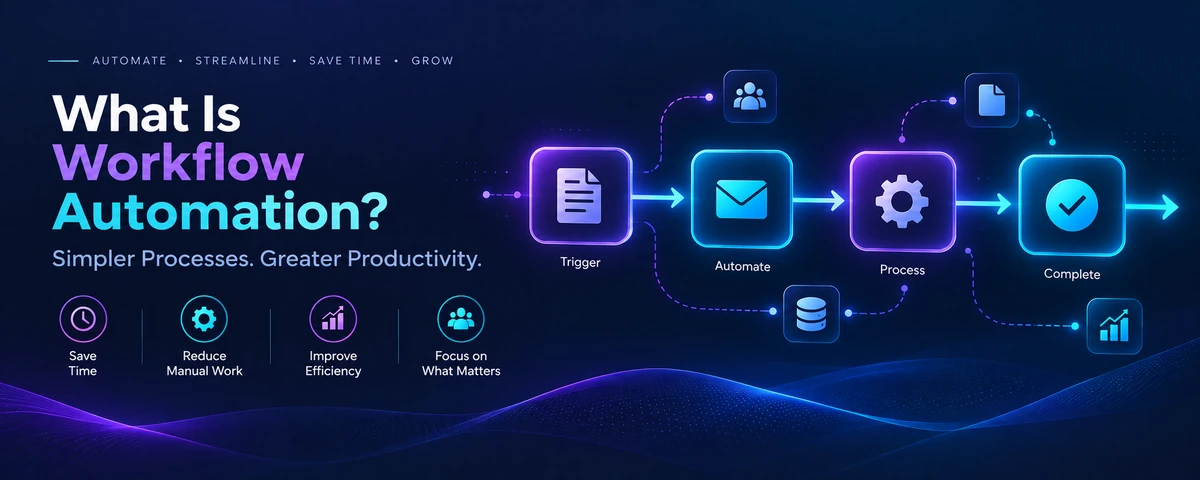
If you’ve ever watched someone on your team manually copy data from one system into another, every single day, workflow automation is probably the answer to a question you haven’t fully asked yet. It’s one of the most practical, fastest-to-implement pieces of “software solutions” work a business can do — often far cheaper and quicker than people assume, since it doesn’t always mean building something from scratch. This guide covers what workflow automation actually is, real examples, and when it stops being enough on its own.
What Is Workflow Automation, Really?
It means setting up a system to do a repeatable task automatically — the same task a person would otherwise do by hand, the same way, every time it’s needed. That covers a wide range: something as simple as automatically emailing a customer after they fill out a form, or something more involved like automatically moving a lead from your website into your CRM, tagging it, and notifying the right salesperson, all without anyone touching a keyboard. IBM’s overview of the topic covers the broader technical picture if you want to go deeper.
Workflow Automation vs. Custom Software — Where’s the Line?
This is a genuinely common point of confusion, and getting it right can save real money. Workflow automation typically connects tools you already use — your CRM, your email platform, your spreadsheets — using existing integrations, without writing a large custom application from scratch. Custom software, by contrast, is what you need when no combination of existing tools can actually do what your business needs, and something genuinely new has to be built — see our guide to choosing a software development company if that sounds like where you’re headed. A lot of businesses jump straight to “we need custom software” when a well-set-up automation would have solved the actual problem for a fraction of the cost — worth ruling out before committing to a bigger build.
Real Examples of Workflow Automation in Action
- Lead routing — a new inquiry automatically gets assigned to the right salesperson based on region or product interest, instead of sitting in a shared inbox waiting for someone to notice it.
- Invoice and payment reminders — automatically nudging a client a few days before a due date instead of someone tracking due dates by hand in a spreadsheet.
- Inventory syncing — when a product sells on your website, stock levels update automatically across your other sales channels instead of a nightly manual reconciliation.
- Onboarding sequences — a new customer or employee automatically gets the right series of emails, accounts, and access at the right time, instead of someone remembering to set each one up.
None of these need a from-scratch application — they’re usually a matter of connecting tools you already pay for correctly.
Common Workflow Automation Tools
Most of this today runs on either general-purpose automation platforms (tools like Zapier or Make that connect apps through pre-built integrations) or more technical, self-hosted options (like n8n) for businesses that want more control or have privacy/compliance requirements that rule out sending data through a third-party platform. Which one makes sense depends less on preference and more on your actual tools, data-sensitivity needs, and how complex the logic between steps actually gets — a simple two-step automation and a multi-branch process with conditional logic are very different builds even if they’re both technically the same category.
When Simple Automation Isn’t Enough
It genuinely has limits, and it’s worth knowing where they are before investing time building around them. Tools like Zapier or Make can get expensive and fragile once you’re chaining together a dozen steps with complex conditional logic — at some point, a small custom piece of software is actually the cheaper, more reliable option, not the more expensive one. Automation also assumes your existing tools have the integrations you need; if a critical system doesn’t, you’re back to custom development anyway, just for a smaller, more targeted piece than a full application.
Where Inverosoft fits in
We build workflow automation alongside custom software, web development, and AI agents — so when an automation platform genuinely hits its limits, we can build the small custom piece that picks up where it leaves off, instead of forcing an awkward workaround. If you’re not sure whether your business needs automation or something more custom, read more about our team or get in touch and we’ll help you figure out which one actually fits.
Frequently Asked Questions
How long does it take to set up workflow automation?
A simple automation connecting two tools can be live within days. More complex, multi-step workflows with conditional logic realistically take longer to build and test properly — rushing the testing is where most automations break in production later.
Is it expensive to set up?
Usually far cheaper than custom software, since it reuses tools you already have rather than building something new. Costs add up mainly with volume (how many actions run per month) and complexity, not with the basic concept itself.
Do I need technical skills to maintain automations?
Basic automations are often maintainable by a non-technical team member once set up. More complex, business-critical workflows are worth having a developer set up and document properly, so a small change to one connected tool doesn’t silently break the whole chain.
What’s usually the first process worth automating?
Whatever repetitive task is currently eating the most hours or causing the most errors when done by hand — that’s almost always where automation pays for itself fastest, more than trying to automate everything at once.
Workflow automation is one of the highest-leverage, lowest-risk software solutions a growing business can invest in — it’s rarely the wrong first step, even if a bigger custom build turns out to be the right move later. If you want help figuring out where to start, reach out and we’ll walk through your actual processes with you.



3 Comments
[…] doing manual work to bridge the gaps between them — though it’s worth ruling out simpler workflow automation first, since it solves this exact problem for a lot of businesses without a full custom […]
[…] should go out automatically because a fee fell due or an order shipped. That last case is really a workflow automation project with WhatsApp as the delivery […]
[…] typed one by one. Our guide to WhatsApp chatbots explains how that works and what it costs, and our workflow automation guide covers the wider […]