

What Is ETL? How Extract, Transform, Load Works and How to Choose ETL Tools
October 19, 2026
Landing Page Design: What Turns Visitors into Enquiries
October 21, 2026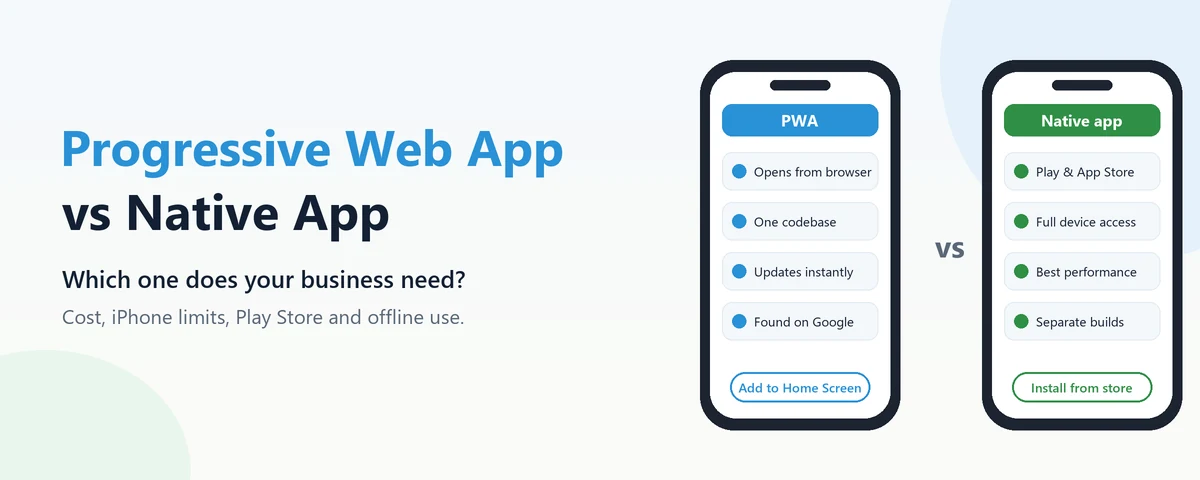
When a coaching institute or a restaurant says “we need an app”, the requirement underneath is usually simpler: customers should open it quickly from their home screen, check something or place an order, and get a notification when something changes. A progressive web app can often deliver exactly that without building separate apps for Android and iPhone. It also has real limits, especially on iPhone. This guide explains what a progressive web app is, what it can and cannot do today, how it compares with a native app, and how to decide.
What a Progressive Web App Is
A progressive web app, or PWA, is a website built so that it can behave like an installed app. A visitor can add it to their home screen, it opens in its own window without the browser’s address bar, it can keep working with a weak or missing connection, and it can send push notifications. Under the hood it is still a web app, written once with standard web technology and updated the moment you publish a change. MDN’s documentation on progressive web apps is a good technical reference if your team wants the details.
Two pieces make this possible. A web app manifest tells the phone the app’s name, icon and colours, and a service worker, a small script running in the background, handles caching for offline use and receives notifications.
What a PWA Can and Can’t Do on Android and iPhone
Support is not equal across phones, and this is the part most sales pitches skip.
| Android (Chrome) | iPhone (Safari) | |
|---|---|---|
| Installing | The browser can offer an install prompt | The user must tap Share, then Add to Home Screen |
| Push notifications | Supported | Supported since iOS 16.4, but only once the app is added to the home screen |
| Working offline | Yes, for whatever the app is built to cache | Yes, for whatever the app is built to cache |
| Camera and location | Yes | Yes |
| Bluetooth and NFC | Partly, through Chrome’s web APIs | Not available |
| Store listing | Can be published on Google Play using a Trusted Web Activity wrapper | A plain web wrapper is generally not accepted in the App Store |
The iPhone column matters more than its market share in India suggests, because iPhone users are often a business’s highest-spending customers. Apple’s support has improved, but it has also wavered: in early 2024 Apple announced it would stop supporting home-screen web apps for users in the EU, then reversed the decision weeks later. Building on a platform whose owner can change the rules is a risk worth naming.
Progressive Web App vs Native App: Side by Side
- Cost. A PWA is one codebase for every device. Native apps mean separate Android and iPhone apps, or one cross-platform app, plus the website you probably need anyway. Our mobile app development cost guide breaks down where the money goes on the native side.
- Updates. A PWA updates when you publish. A native app update waits for store review and for users to install it.
- Being found. PWA pages can be indexed by Google like any website, so customers can land on them from search. Native apps are found mainly through app store search.
- Size on the phone. PWAs are usually far smaller than native apps, which matters for customers on budget Android phones with little free storage.
- Performance and device access. For heavy graphics, background tasks and close hardware integration, native apps are still clearly ahead.
- User habit. Many customers in India look for a business on the Play Store first. If yours is not there, some will assume you do not have an app at all.
When a PWA Is the Better Choice
A PWA suits apps that are mostly about showing information and taking simple actions: menus and ordering for a restaurant, a product catalogue for a shop, course schedules and fee payment for an institute, appointment booking for a clinic, or internal tools for staff such as a field visit form. In each of these, the main value comes from being quick to open and always up to date, not from deep phone features.
It is also a sensible first step for a business that is not yet sure customers will use an app regularly. Building a PWA, watching how many people install it and come back, and then deciding whether native development is justified is a cheaper way to learn than committing to two native apps up front. A well-built PWA starts from a responsive website anyway, so very little of the work is wasted.
When You Should Build a Native App
Choose native when the app depends on things the web still does poorly: printing to a Bluetooth receipt printer, tracking location in the background for delivery staff, heavy offline work such as field data collection in areas with no signal, games and rich animation, or reliable notifications for every iPhone user without asking them to add anything to their home screen. A strong App Store presence for brand reasons is also a fair argument. If you go native, our comparison of React Native and Flutter covers how to build for both platforms from one codebase.
The Middle Path Most Businesses Miss
The choice is not always one or the other. A progressive web app can be wrapped and listed on Google Play, which covers the “people look on the Play Store” problem on Android without a separate native build. Later, if the business grows into features that need native code, the native app can be built while the PWA keeps serving customers who arrive through search. One caveat applies to all of this: the right answer depends on what your customers actually do with the app, so list the five most important things they need from it before choosing the technology.
Where Inverosoft fits in
We build websites, web apps and mobile apps, so we have no reason to push you towards one over the other. Tell us what your customers need to do, and we will tell you honestly whether a PWA, a native app or a mix makes sense for your budget. You can contact us to talk it through.
Frequently Asked Questions
Is a PWA an app or a website?
Both. Technically it is a website, but once installed it opens from the home screen in its own window and behaves much like an app.
Can a progressive web app be listed on the Play Store?
Yes. A PWA can be packaged with a Trusted Web Activity and published on Google Play. Apple’s App Store generally does not accept apps that are only a wrapper around a website.
Does a PWA work without internet?
Partly, depending on how it is built. Pages and data the app has cached can work offline, but anything that needs fresh information, such as placing an order, still needs a connection.
Is a PWA cheaper than a native app?
Usually, because one codebase serves every device and there are no separate store releases to manage. The saving shrinks if you later need features only native apps can provide.
A progressive web app is not a cheap imitation of a real app; for many businesses it is the right tool, and for some it is the wrong one. Start from what your customers need to do, check the iPhone limits honestly, and choose from there. If you would like a second opinion, reach out.


